
Co-Tenants
Co-tenants are the people who live with a primary tenant, such as a spouse or a roommate. They share the primary tenant’s lease and balance. See Tenants and Leases.
Add a co-tenant
Section titled “Add a co-tenant”-
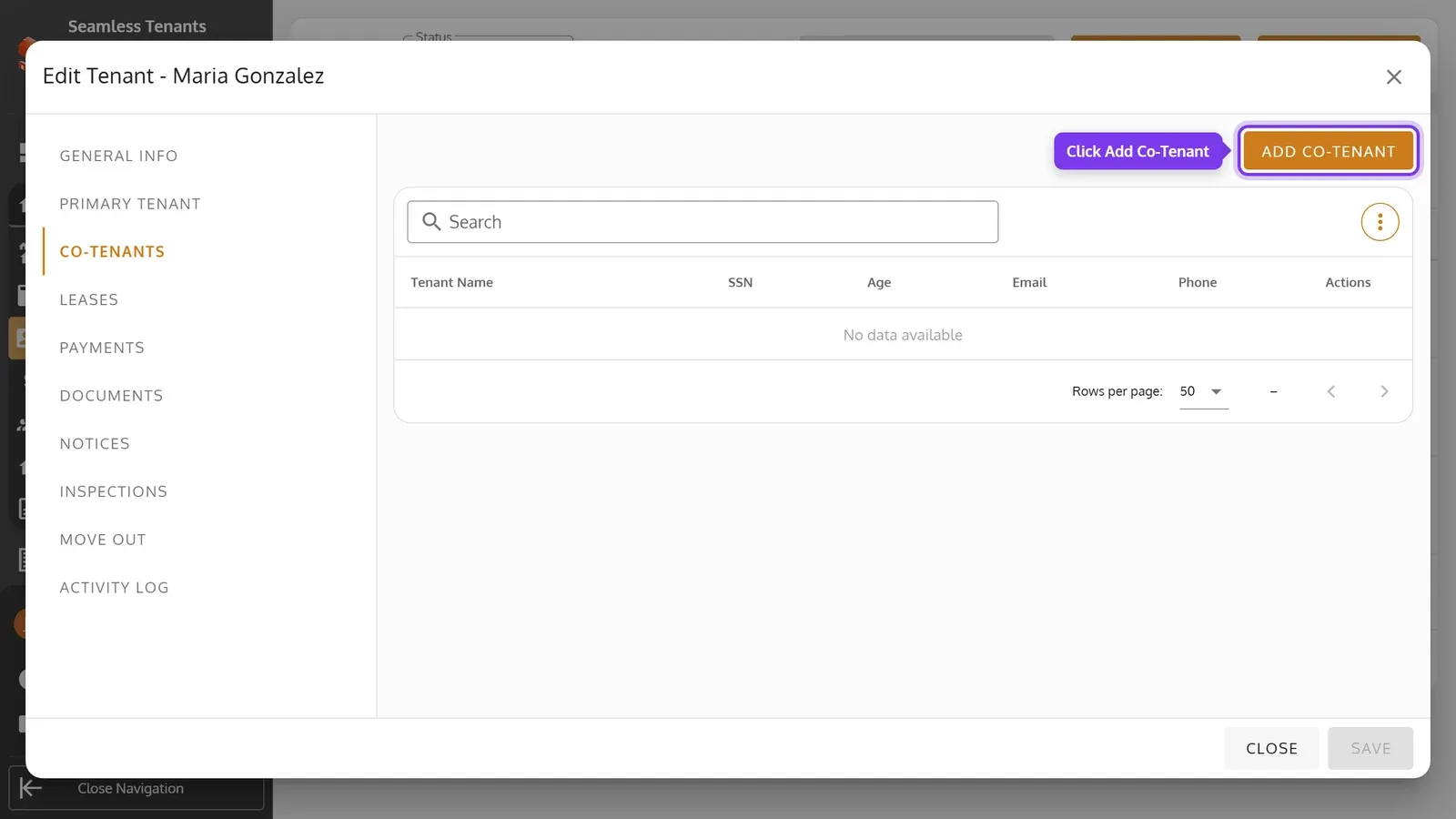
Open the primary tenant, then Co-Tenants, and click Add Co-Tenant.
-
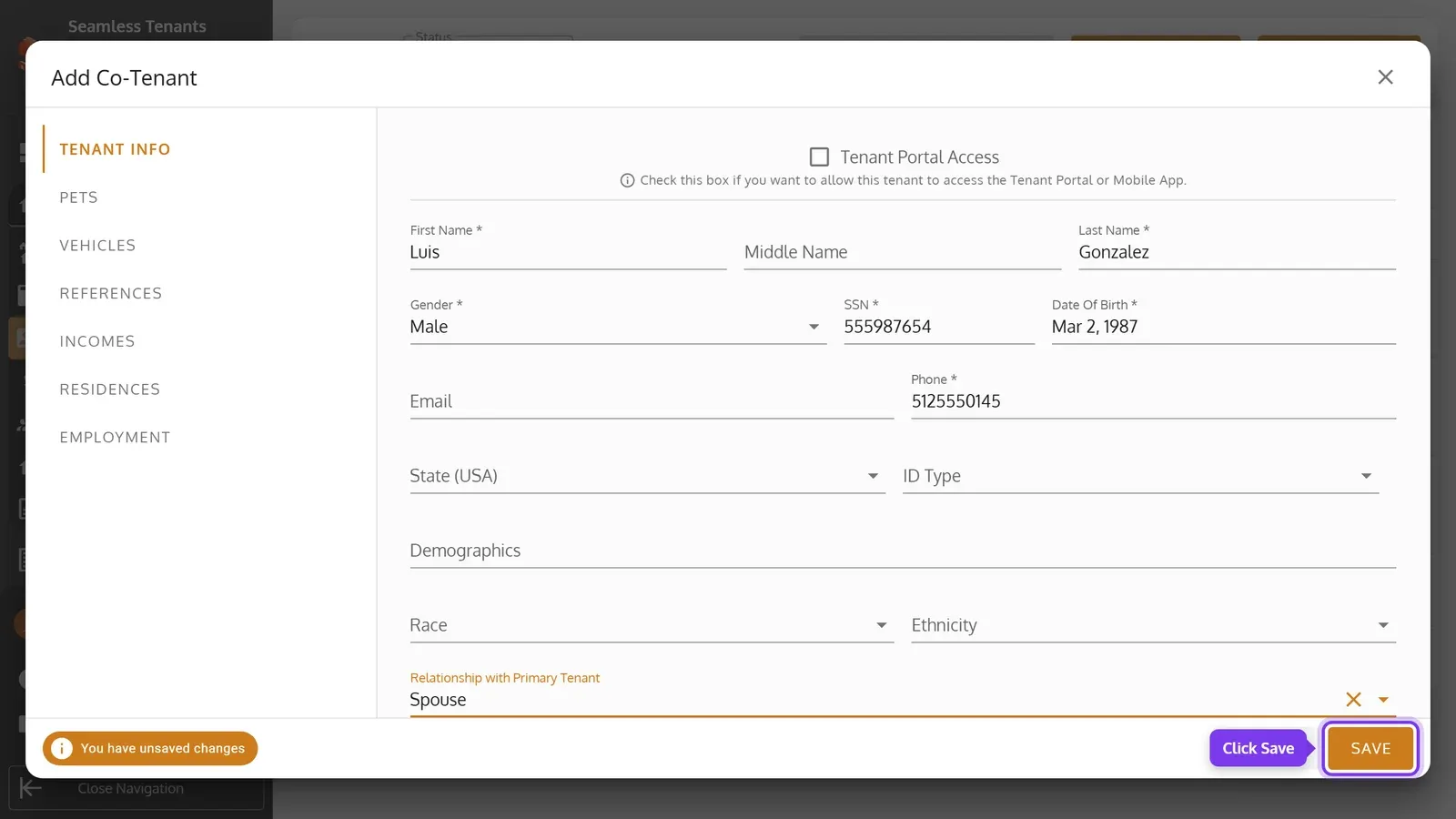
Enter the co-tenant’s details, including their Relationship with Primary Tenant. Then click Save.
-
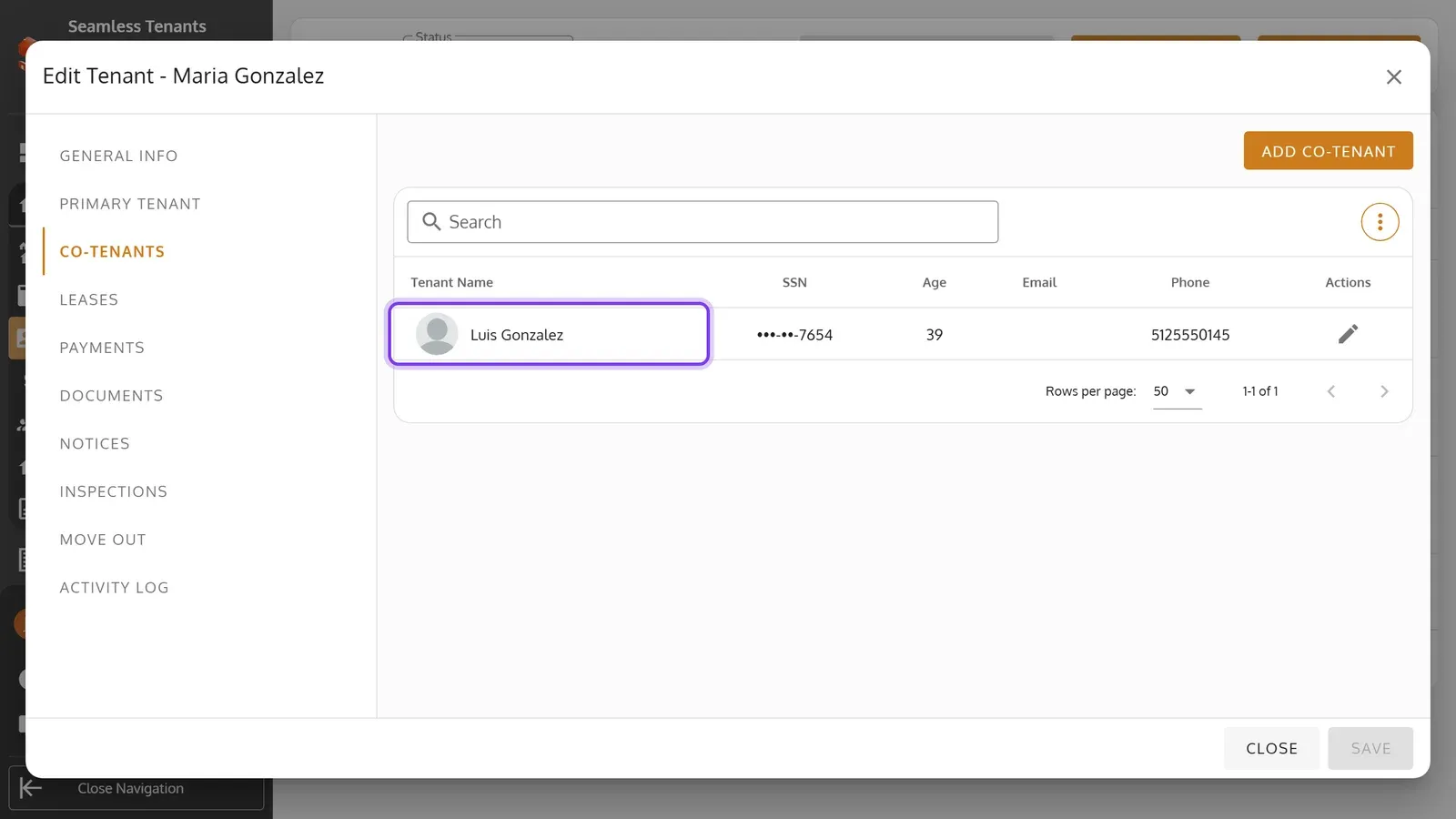
The co-tenant is listed under Co-Tenants.
-
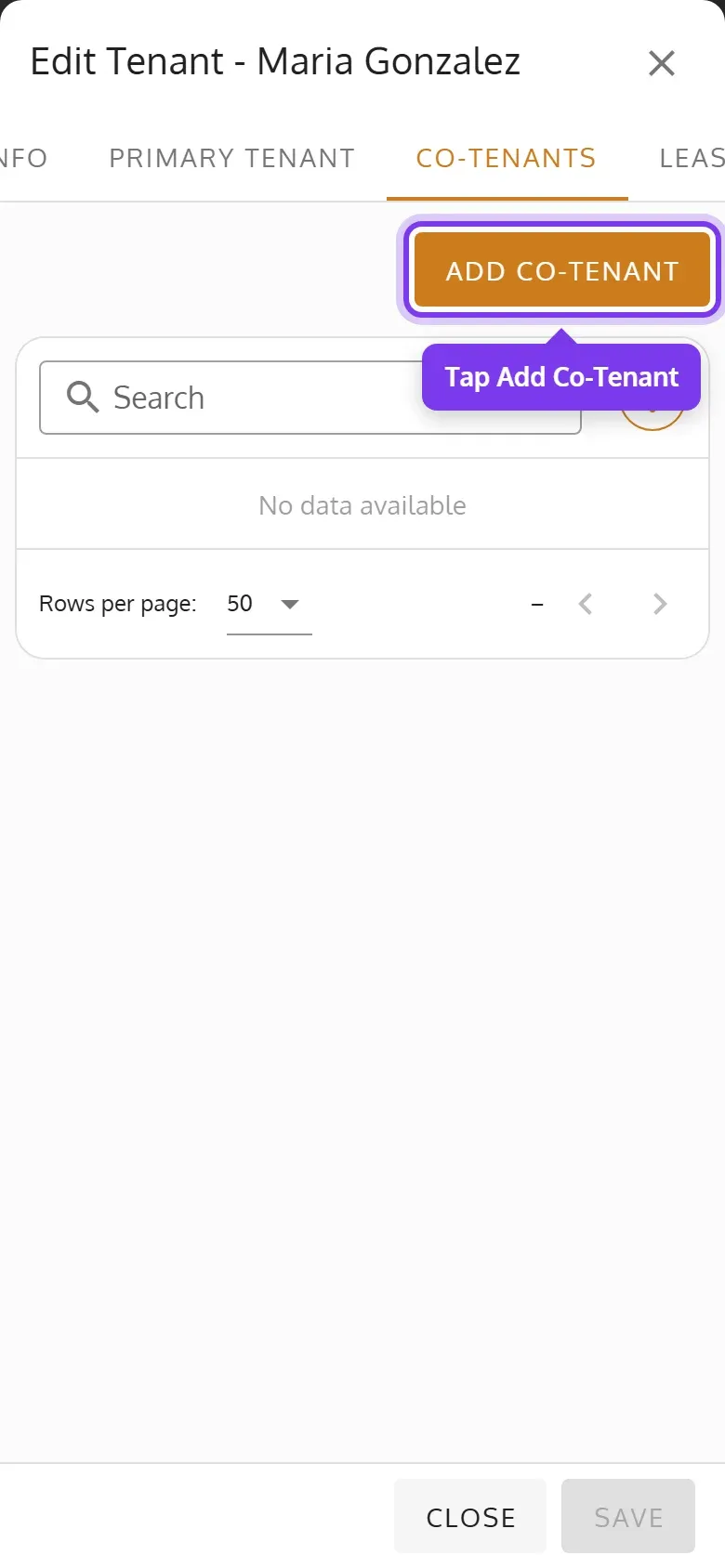
Open the primary tenant, tap Co-Tenants, then Add Co-Tenant.
-
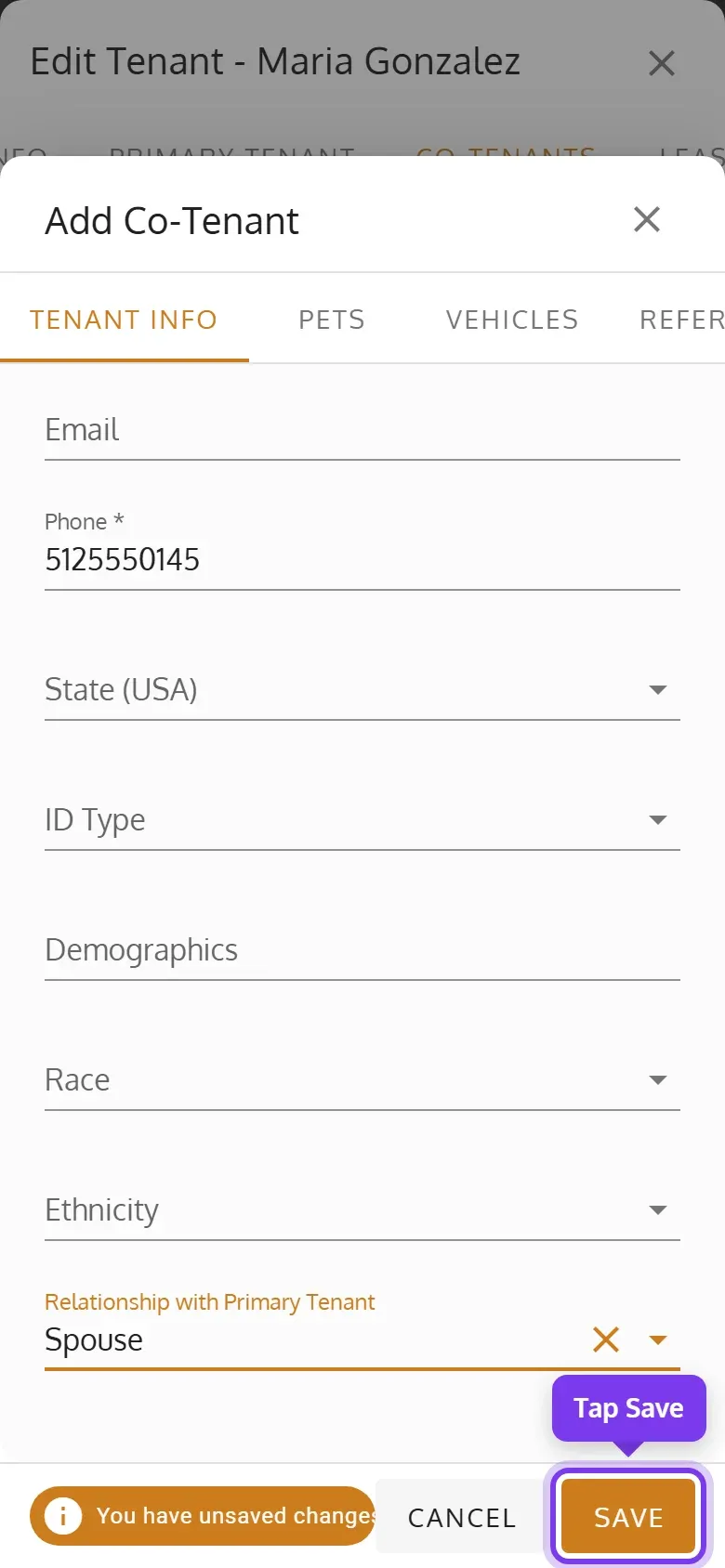
Enter the co-tenant’s details, including their Relationship with Primary Tenant. Then tap Save.
-
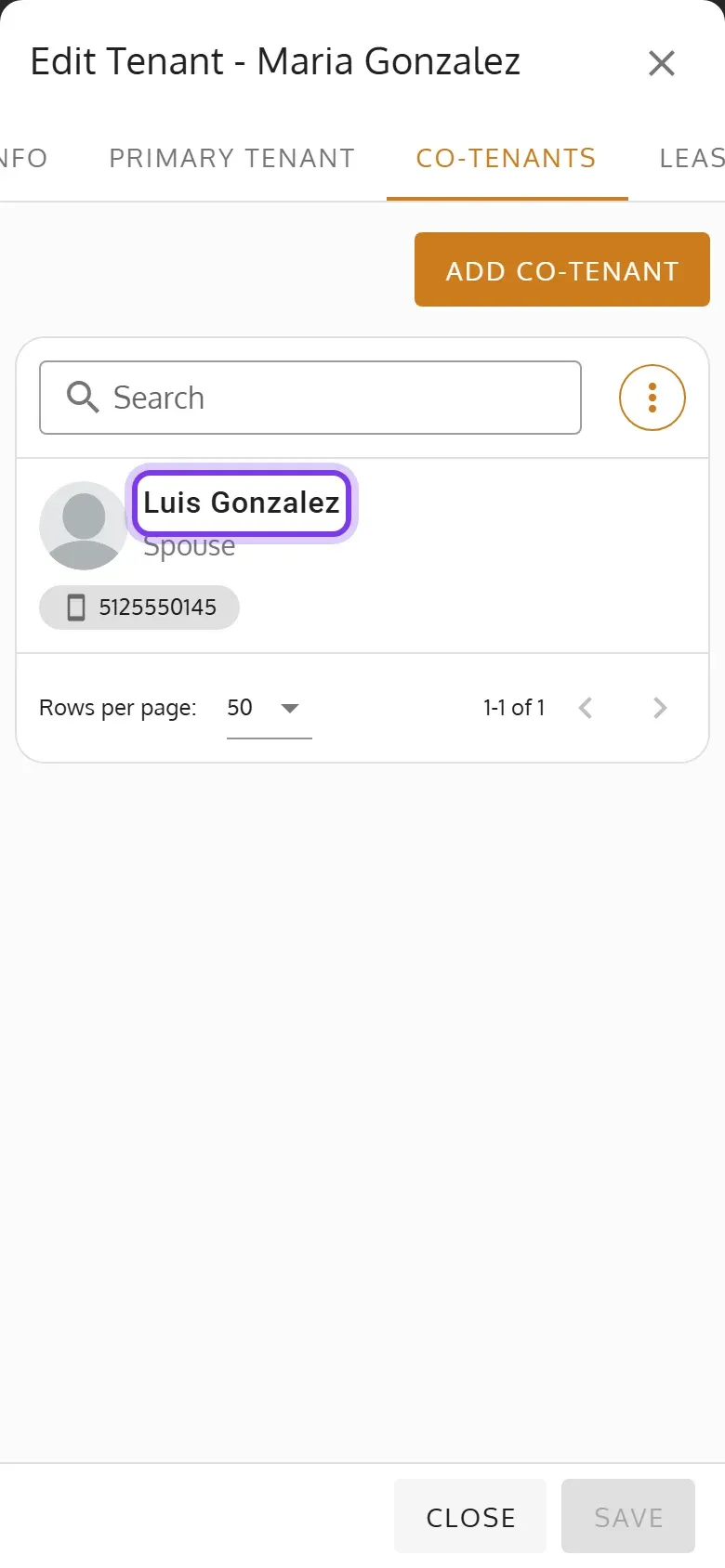
The co-tenant is listed under Co-Tenants.
- First Name, Last Name, Gender, SSN, Date Of Birth and Phone are required.
- The tabs beside Tenant Info add the co-tenant’s pets, vehicles and more. They’re saved when you save the co-tenant.
- The co-tenant and the primary tenant get an email that the co-tenant was added.
Edit a co-tenant
Section titled “Edit a co-tenant”Under Co-Tenants, click the co-tenant’s pencil, or tap their card on a phone. Change their details, then save.
Give a co-tenant Tenant Portal access
Section titled “Give a co-tenant Tenant Portal access”When you add or edit the co-tenant, check Tenant Portal Access and enter their Email. They get an email to set up their account, or to sign in if it’s already set up. The checkbox only shows when your organization has the Tenant Portal on.
When a co-tenant moves out
Section titled “When a co-tenant moves out”Co-tenants can’t be removed, or moved out on their own: they move out with the primary tenant (Move a Tenant Out).